


Quick Answer
ContractorTools is a dead-simple mobile estimating app for iPhone and iPad that punches above its weight on price — starting at $19.99/month — but lacks roofing-specific features like aerial measurements and insurance supplement workflows. It’s a solid pick for solo roofers and small repair shops who want fast estimates and invoices with QuickBooks Online sync, but growing roofing companies will hit its ceiling fast.

RSG Verdict
Dead-simple mobile estimating and invoicing at an unbeatable price. ContractorTools does a few things well — offline estimates, Craftsman Costbook integration, and QuickBooks sync — but its iOS-only platform, limited integrations, and zero roofing-specific features keep it from competing with purpose-built roofing software. Best for small roofing and repair shops running on iPhones who want to ditch paper estimates without paying for a full CRM.
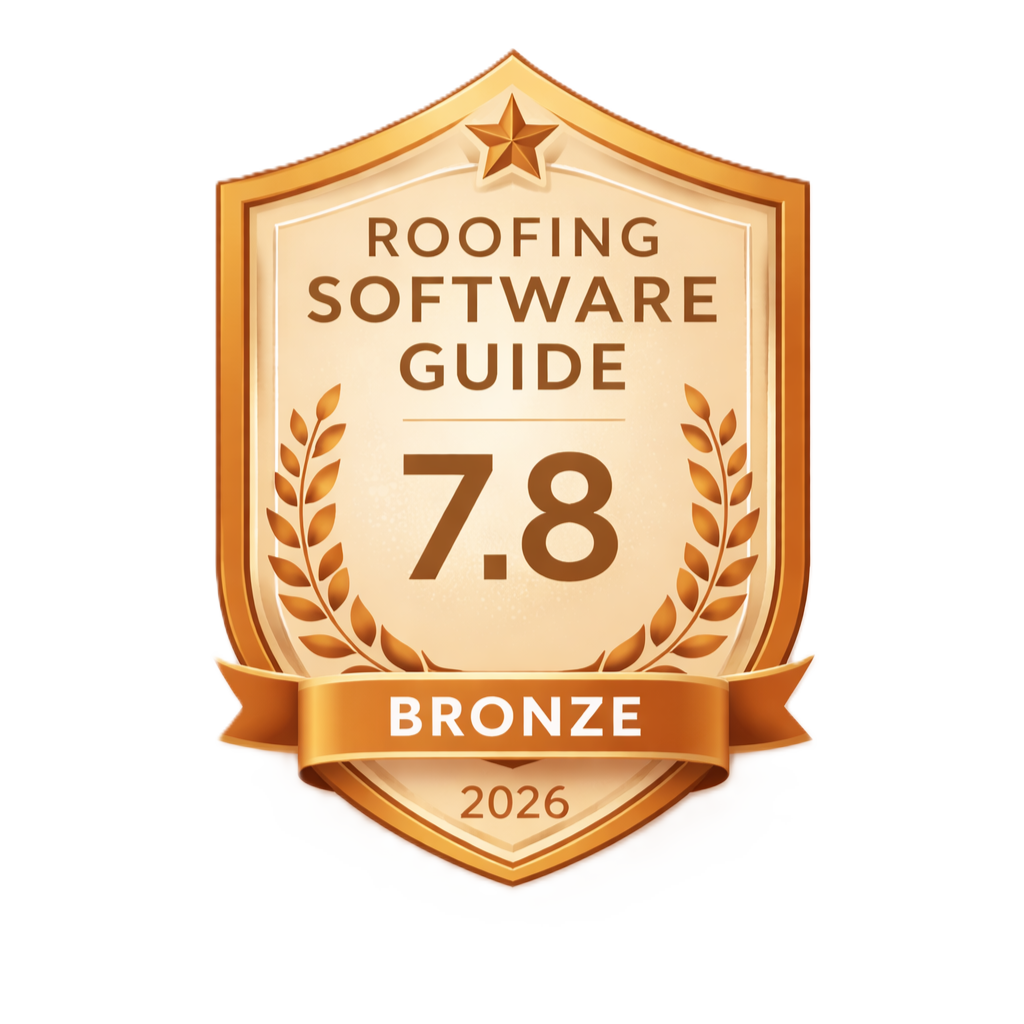 7.8
7.8
Pros
- Starts at $19.99/month — one of the cheapest construction estimating software options available
- Full offline functionality lets you build estimates on job sites with zero cell signal
- Craftsman Costbook integration provides 40,000+ localized construction costs by zip code
- Clean QuickBooks Online sync eliminates double-entry for invoices and payments
- Home Depot real-time pricing keeps material costs accurate without manual updates
- Free trial available with no credit card required
- Job templates save time on repeatable roofing scopes like re-roofs and repairs
Cons
- iOS and Mac only — Android and Windows users are completely shut out
- No roofing-specific features: no aerial measurements, no insurance supplements, no photo documentation tied to estimates
- Users report multi-device sync failures that cause unexpected price modifications on customer-facing estimates
- No API available — you cannot connect it to CRMs, scheduling tools, or roofing-specific platforms
- Pro plan caps at 5 users with no larger-team option
- Pricing is not published on a standalone page on the vendor’s site — you have to dig through help center articles or third-party listings
- Forced update bugs have locked contractors out of the app mid-proposal with customers waiting
ContractorTools Review: What Is It and Who Is It For?
ContractorTools is an iOS and Mac-based mobile estimating app designed to replace paper-based estimating for solo contractors and small teams. You build estimates and invoices directly from your iPhone or iPad, sync them to QuickBooks Online, and get on with your day. That’s the pitch — and for what it promises, it mostly delivers.
The app targets general contractors, subcontractors, and trade contractors in plumbing, electrical, and HVAC. Roofers aren’t mentioned specifically in their marketing, and that matters. ContractorTools is a general-purpose construction estimating tool, not a roofing-first platform.
The biggest thing to know upfront: this is an iOS-only app. No Android. No web browser version. If your crew runs Samsung phones or Windows laptops, ContractorTools is not an option. Period.
In this ContractorTools review, we’re breaking down pricing, features, integrations, real user complaints, and — most importantly — whether this app actually works for roofing estimators. Every other review out there treats it generically. We’re evaluating it through a roofing lens, because that’s what we do at Roofing Software Guide.
ContractorTools Pricing: Plans, Costs, and What You Actually Pay
ContractorTools pricing is straightforward once you find it — which is harder than it should be. The vendor doesn’t publish a standalone pricing page on contractortools.com. You’ll need to check their help center or third-party listings to get the numbers. Here’s what you’re looking at:
Basic
- 1 user
- Estimates and invoices
- QuickBooks sync
- Job templates
Essentials
- 3 users
- Everything in Basic
- Multi-user access
Pro
- 5 users
- Everything in Essentials
- Full feature set
The Craftsman Costbook add-on is billed separately at $12.99/month on all plans. That’s important because the Craftsman data is arguably ContractorTools’ most valuable feature — localized zip code cost data for 40,000+ construction items. Without it, you’re building custom costbooks from scratch.
So what does a solo roofer actually pay? Basic plus the Craftsman Costbook add-on runs $32.98/month. Sign up for annual billing and you save roughly 20% off the monthly price, bringing Basic down to around $16/month before the Costbook add-on. That’s significantly cheaper than most roofing estimating software options.
ContractorTools offers a free trial with no credit card required, so you can evaluate the app before committing. That’s a plus — many roofing platforms require a sales call before you can even see the product.
For context, Jobber starts at $29/month for 1 user (billed annually; $49 month-to-month) and scales to larger teams, while roofing-specific platforms like AccuLynx and JobNimbus cost more but include CRM, aerial measurement integrations, and insurance workflows. ContractorTools wins on price, but you’re paying less because you’re getting less.
Core Features: What ContractorTools Actually Does
ContractorTools focuses on a narrow set of tasks and does them competently on mobile. Here’s what the app covers:
Estimates and Invoices
The core workflow is building detailed estimates on your iPhone or iPad, then converting them to invoices when the job is sold. You can create estimates from scratch or start with job templates — reusable scope packages you build once and apply to similar projects. For roofers doing repetitive work like residential re-roofs and leak repairs, templates save real time.
The estimate-to-invoice workflow is clean. Once a customer approves an estimate, you convert it to an invoice without re-entering data. Proposal generation uses the same estimate data, so your customer-facing documents stay consistent.
Craftsman Costbooks and Custom Pricing
The Craftsman Costbook add-on is ContractorTools’ standout feature. It pulls from the National Construction Estimator database — over 40,000 construction cost items with localized construction costs based on your zip code. Enter your location, and the app adjusts material costs and labor rates to reflect your market.
You can also build custom costbooks with your own pricing. This is where experienced roofers will get more value — entering your actual supplier pricing and crew labor rates rather than relying on national averages. The Craftsman data works well as a starting point or sanity check, but your custom numbers will always be more accurate for your specific operation.
Home Depot Real-Time Pricing
ContractorTools integrates with Home Depot for real-time pricing on materials. For small repair jobs where you’re grabbing materials from a retail store rather than ordering from a distributor, this keeps your estimates honest. It’s less useful for full re-roofs where you’re ordering directly from ABC Supply or Beacon, but for handyman-style roofing repairs, it’s a nice feature.
Change Order Management and Draw Schedules
Change orders connect back to the original estimate, so you maintain a clear paper trail when scope shifts mid-project. Draw schedules support milestone-based billing on longer jobs — useful for commercial roofing projects or multi-phase residential work where you need to bill at specific completion points.
QuickBooks Online Sync
The QuickBooks sync pushes customers, jobs, estimates, invoices, and payments between ContractorTools and QuickBooks Online. For solo roofers who already use QuickBooks for accounting, this eliminates the double-entry that eats up evening hours. The sync handles the basics well, though users have reported occasional sync failures across multiple devices — more on that in the complaints section.
Offline Functionality
ContractorTools works fully offline — no internet connection required. You can build complete estimates, create invoices, and access your costbooks in basements, rural job sites, or anywhere with poor cellular coverage. Data syncs when you reconnect. This is a genuine differentiator that most cloud-based roofing software can’t match. For roofers working in areas with spotty cell service, offline mode alone might justify the subscription.
Is ContractorTools Good for Roofing Estimators?
Here’s the honest answer: ContractorTools works as a roofing estimating app, but it wasn’t built for roofers and it shows.
Every other ContractorTools review out there evaluates it as a generic construction tool. We’re looking at it through the lens of a roofing contractor who needs to estimate tear-offs, re-roofs, repairs, and flat roof jobs. That changes the calculus.
What Works for Roofers
The Craftsman Costbook does include roofing materials — shingles, underlayment, flashing, drip edge, and other common line items. Costs are localized by zip code, which gives you a reasonable starting point for bid management in your market. Combined with custom costbooks where you enter your actual supplier pricing, you can build accurate roofing estimates.
Job templates are genuinely useful for roofing. Set up templates for your standard scopes — 30-year architectural shingle re-roof, flat roof coating, emergency leak repair — and you can generate estimates in minutes instead of building from scratch every time. For a small roofing and repair shop doing 3-5 estimates per week, this saves hours.
Offline mode is a real advantage for roofers. You’re on the roof, you’re in a crawl space, you’re at a rural property with no signal. Being able to build and save a complete estimate without internet access is something most cloud-based construction estimating software can’t do.
What’s Missing for Roofers
This is where ContractorTools falls short for roofing-specific work:
- No aerial measurement integration. There’s no connection to EagleView, Roofr, or Hover. You’re measuring roofs manually or entering measurements by hand from a separate report. Purpose-built roofing tools pull measurements directly into estimates.
- No insurance supplement workflow. If you do storm restoration work, there’s no Xactimate integration, no supplement tracking, and no carrier communication tools. Check our storm restoration software roundup for platforms built for that workflow.
- No photo documentation tied to estimates. You can’t attach job site photos to specific line items or create visual damage reports. Tools like CompanyCam (RSG Score: 9.5/10) exist specifically to solve this.
- No CRM or lead pipeline. ContractorTools handles estimates and invoices. It doesn’t track leads, manage follow-ups, or give you a sales pipeline view.
The Roofing Fit Verdict
ContractorTools earns a 6.0/10 on our roofing-specific scoring because it’s fundamentally a general construction tool. A solo roofer doing residential repairs and re-roofs can make it work — especially if they value simplicity and low cost over specialized features. But any roofing company doing insurance restoration, commercial work, or running multiple crews needs purpose-built roofing software like JobNimbus (RSG Score: 8.6/10) or AccuLynx (RSG Score: 9.1/10).
ContractorTools Integrations: QuickBooks, Craftsman, and the Limits of a Closed System
ContractorTools integrates with exactly three things: QuickBooks, QuickBooks Online, and the Craftsman Site License (plus the Home Depot pricing connection). That’s it. It’s a small but focused integration set.
The QuickBooks Online sync is the most important integration for roofing businesses. It pushes customer records, jobs, estimates, invoices, and payments between the two platforms. This means your office manager isn’t re-entering invoice data into QuickBooks at the end of each day. For solo roofers handling their own books, this integration alone saves meaningful time. The NRCA consistently emphasizes that proper financial tracking is foundational for roofing businesses of any size — and a working QuickBooks integration makes that practical even for one-person operations.
Here’s the critical limitation: ContractorTools has no API available. None. You cannot build custom integrations, connect it to a CRM, link it to scheduling software, or pipe data into any roofing-specific platform. For a solo contractor, this might not matter. For a growing roofing company that uses multiple tools — a CRM, a measurement app, a scheduling platform, a photo documentation tool — ContractorTools becomes an isolated island in your workflow.
Compare this to platforms like Jobber (RSG Score: 8.3/10), which offers integrations with dozens of tools including Zapier for custom automations, or roofing-specific CRMs that connect natively to aerial measurement providers. ContractorTools’ closed integration approach works fine if it’s your only tool. It becomes a friction point the moment you add a second platform to your stack. If you’re evaluating how different tools connect, our complete guide to roofing software integrations breaks down what matters.
ContractorTools Pros and Cons: An Honest Assessment
We’ve covered the features. Now let’s talk about what works, what doesn’t, and what could cost you money if you’re not prepared.
The Good
The price is right. At $19.99/month for the Basic plan, ContractorTools is one of the most affordable construction estimating software options on the market. Add the annual discount and you’re looking at roughly $16/month before the Craftsman Costbook add-on. For a solo roofer who just wants to stop writing estimates on legal pads, that’s a low-risk investment.
Offline mode is a genuine differentiator. Most roofing software requires an internet connection. ContractorTools doesn’t. Build estimates in a basement, on a rural roof, or anywhere your phone can’t find a signal. For roofers in areas where cellular coverage is unreliable, this feature alone can justify the subscription. This is the best construction estimating app for iPhone if offline capability is your priority.
Craftsman Costbook depth is impressive. Access to 40,000+ construction cost items with localized pricing by zip code gives you a credible starting point for any estimate. The National Construction Estimator data behind these costbooks is an industry standard that general contractors and subcontractors have relied on for decades.
QuickBooks integration works for the basics. Syncing estimates and invoices to QuickBooks Online eliminates double-entry, which is the number one complaint we hear from solo roofers still doing manual bookkeeping. If you need roofing software with solid QuickBooks integration, ContractorTools delivers on the fundamentals.
The Bad
iOS-only is a dealbreaker for many teams. If even one person on your crew uses an Android phone, ContractorTools won’t work for your team. The app runs on iPhone, iPad, and Mac — full stop. There’s no web app and no Android version. In a trade where plenty of contractors carry Android devices, this iOS-only limitation eliminates a huge chunk of the market.
Multi-device sync failures cause real problems. Users report that ContractorTools sometimes fails to sync properly across devices, and worse — estimates can receive automatic, unexpected price modifications. When a customer gets a proposal with different numbers than what you quoted on-site, that’s not a software glitch. That’s a business problem that erodes trust.
Forced update bugs have locked contractors out mid-workflow. One documented case describes a contractor who had been using the app for over a year without issues. After a forced update, the app entered a loop that couldn’t be escaped — while customers were waiting on proposals. When your estimating tool goes down during a sales appointment, you lose the job.
No roofing-specific capabilities. We’ve covered this, but it bears repeating: no aerial measurements, no insurance supplement workflow, no photo documentation, no CRM. For roofers, these aren’t nice-to-haves — they’re core workflow requirements that ContractorTools simply doesn’t address.
Pricing transparency is lacking. Not publishing a clear pricing page on your own website in 2026 is a miss. Contractors want to know what something costs before they sign up. Having to dig through help center articles or rely on third-party listings like the Apple App Store to find pricing erodes confidence.
ContractorTools Alternatives Worth Considering for Roofers
If ContractorTools doesn’t fit — because of the iOS-only limitation, the lack of roofing-specific features, or the integration constraints — here are the alternatives we’d point roofing contractors toward:
| Feature | ContractorTools | Jobber | JobNimbus | AccuLynx |
|---|---|---|---|---|
| RSG Score | 7.8/10 RSG Bronze | 8.3/10 RSG Silver | 8.6/10 RSG Silver | 9.1/10 RSG Gold |
| Starting Price | $19.99/mo | $29/mo (billed annually) | Contact for pricing | Contact for pricing |
| Platform | iOS & Mac only | iOS, Android, Web | iOS, Android, Web | iOS, Android, Web |
| Roofing-Specific | No | No | Yes | Yes |
| Aerial Measurements | No | No | Yes (EagleView, Hover) | Yes (EagleView, Hover) |
| CRM & Pipeline | No | Basic | Yes | Yes |
| QuickBooks Sync | Yes | Yes | Yes | Yes |
| Offline Mode | Full offline ✓ | Limited | Limited | Limited |
| Insurance Workflow | No | No | Yes | Yes |
Jobber is the most common ContractorTools alternative for contractors who need cross-platform support. It runs on iOS, Android, and web, offers scheduling and dispatching, and has a broader integration library. It’s not roofing-specific either, but it covers more ground as field service management software. See our full Jobber review and our JobNimbus vs Jobber comparison for details. ContractorTools vs Jobber comes down to simplicity versus scalability — ContractorTools is cheaper and simpler, Jobber is more capable for growing teams.
Contractor+ is a direct competitor that offers cross-platform availability (iOS and Android), which solves the platform limitation issue. It’s worth evaluating if you need a similar mobile estimating app that doesn’t lock out Android users.
JobNimbus and AccuLynx are the right choices for roofing companies that need aerial measurement integrations, insurance supplement workflows, and CRM functionality. They cost more, but they’re built specifically for roofing operations. If you’re doing storm restoration or running multiple crews, these are where you should be looking. Our AccuLynx vs JobNimbus comparison breaks down the differences.
For solo roofers on a tight budget, check our Solo Roofer Software Stack: Everything Under $50/Month guide for a full recommended setup.
Final Verdict: Should Roofing Contractors Use ContractorTools?
ContractorTools does a few things well at a price that’s hard to beat. For the right contractor — a solo roofer on an iPhone who wants to replace handwritten estimates with a clean mobile workflow — it’s a smart, low-cost choice. The combination of offline functionality, Craftsman Costbook data with localized construction costs, and QuickBooks Online sync covers the basics for a one-person operation.
But “the basics” is exactly what you get. There’s no aerial measurement integration, no insurance supplement workflow, no CRM, no photo documentation, and no API. The iOS-only limitation cuts out a significant portion of the contractor market. And the user-reported sync failures and forced-update bugs introduce risk into your sales process that a $20/month app shouldn’t create.
The 2026 update trajectory tells a story, too. The most recent releases (version 6.0 in September 2025, version 6.0.5 in May 2026) focused entirely on “stability and performance improvements.” No new features, no new integrations, no AI tools. ContractorTools is a mature app in maintenance mode — stable but not innovating. For roofers looking at where the industry is heading, that’s worth considering. Our guide to AI in roofing software covers what’s actually changing in this space.
If you’re a solo roofer on iOS who wants fast, offline-capable estimating with QuickBooks sync and you don’t need roofing-specific tools: start the ContractorTools free trial. At $19.99/month, the risk is minimal.
If you’re running a roofing team, doing insurance restoration, need aerial measurements, or use Android devices: skip ContractorTools entirely and evaluate purpose-built roofing software. Start with our Best Roofing Software guide.
What Contractors Are Asking
“Can I use ContractorTools to estimate a full tear-off and re-roof, or is it only for small repairs?”
You can estimate any size job in ContractorTools — tear-offs, re-roofs, full replacements. The Craftsman Costbook includes roofing line items for shingles, underlayment, flashing, and labor. The limitation isn’t job size; it’s that you’ll enter all measurements manually since there’s no aerial measurement import. For a 40-square re-roof with 15+ line items, that manual entry adds time compared to roofing-specific tools that auto-populate from a measurement report.
“My foreman has an Android phone. Can he access estimates I create in ContractorTools?”
No. ContractorTools runs exclusively on iOS and Mac — iPhone, iPad, and Mac computers. There is no Android app, no web portal, and no workaround. If your foreman needs to view or edit estimates in the field on an Android device, ContractorTools won’t work for your team. You’d need to export estimates as PDFs and share them manually, which defeats the purpose of a mobile estimating app.
“Is the Craftsman Costbook worth the extra $12.99/month, or should I just build my own costbook?”
If you’re just starting out and don’t have established supplier pricing, the Craftsman Costbook is worth it as a baseline. The localized zip code cost data gives you defensible numbers for your market. But if you’ve been in business for a few years and know exactly what you pay your suppliers and crews, you’ll get more accurate estimates from a custom costbook with your real numbers. Many contractors use both — Craftsman as a sanity check, custom costbooks as the primary pricing source.
“I use ContractorTools now but I’m growing. What should I switch to?”
It depends on your workflow. If you’re adding crews and need scheduling, CRM, and job tracking, Jobber (RSG Score: 8.3/10) is a natural step up. If you’re a roofing company specifically — doing insurance work, needing aerial measurements, managing a sales pipeline — jump to JobNimbus (RSG Score: 8.6/10) or AccuLynx (RSG Score: 9.1/10). The key question is whether you need a general contractor tool or a roofing-specific platform. Our buyer’s guide walks through the decision framework.
Frequently Asked Questions
Is ContractorTools only available on iOS and Apple devices?
Yes. ContractorTools runs exclusively on iOS and Mac — specifically iPhone, iPad, and Mac computers. There is no Android app, no Windows version, and no web-based interface. If anyone on your team uses a non-Apple device, they cannot access ContractorTools.
How much does ContractorTools cost per month?
ContractorTools starts at $19.99/month for the Basic plan (1 user), $29.99/month for Essentials (3 users), and $59.99/month for Pro (5 users). The Craftsman Costbook add-on costs an additional $12.99/month on any plan. Annual billing saves approximately 20% off the monthly price.
Does ContractorTools integrate with QuickBooks?
Yes. ContractorTools syncs with QuickBooks and QuickBooks Online, pushing customers, jobs, estimates, invoices, and payments between the two platforms. This eliminates double-entry for contractors who use QuickBooks for accounting. However, some users have reported occasional sync failures across multiple devices.
Does ContractorTools offer a free trial?
Yes. ContractorTools offers a free trial with no credit card required. You can download the app from the Apple App Store and evaluate it before committing to a paid plan.
What are the best alternatives to ContractorTools for roofers?
For roofers specifically, the best ContractorTools alternatives depend on your needs. Jobber (RSG Score: 8.3/10) offers cross-platform field service management. JobNimbus (RSG Score: 8.6/10) and AccuLynx (RSG Score: 9.1/10) are purpose-built roofing platforms with aerial measurement integrations, CRM, and insurance supplement workflows. Contractor+ is a direct competitor with Android support.
What is the difference between ContractorTools and Contractor+?
ContractorTools and Contractor+ are both mobile estimating apps for contractors, but they differ in key areas. ContractorTools is iOS-only and integrates with Craftsman Costbooks for localized pricing data. Contractor+ offers cross-platform availability including Android. Both target small contractors, but Contractor+ may offer more flexibility for teams with mixed device types.
Does ContractorTools work offline on job sites?
Yes — and this is one of ContractorTools’ strongest features. The app is fully functional without an internet connection. You can create estimates, build invoices, and access your costbooks offline. Data syncs automatically when you reconnect to the internet, making it ideal for roofers working on job sites with poor cellular coverage.
Final Verdict: Is ContractorTools Worth It for Roofers?
ContractorTools earns a 7.8/10 RSG Score — an RSG Bronze rating. It’s a capable mobile estimating app that does the basics right at a price point that undercuts most of the market. For a solo roofer on an iPhone who wants to ditch paper and needs offline-capable estimating with QuickBooks sync, it’s the most affordable path to professional estimates and invoices.
But we can’t ignore what’s missing. No roofing-specific features. No aerial measurements. No insurance workflows. No Android support. No API. No innovation trajectory. These aren’t minor gaps — they’re the features that separate a general construction estimating tool from a real roofing platform. ContractorTools is a solid starting point, not a long-term solution for a growing roofing business.
The bottom line: ContractorTools is the best $20/month estimating tool you can buy on an iPhone. It’s just not the best estimating tool you can buy for a roofing company.
RSG Verdict
Dead-simple mobile estimating and invoicing at an unbeatable price. Best for solo roofers and small repair shops on iOS who want fast offline estimates with QuickBooks sync. Not for growing roofing companies that need aerial measurements, insurance workflows, CRM, or Android support.
